Chat example
This example demonstrates how to integrate UGC Guard into a hypothetical chat application. You'll learn the key concepts behind UGC Guard and see practical steps for connecting it to your service.
Our project stack includes:
- Python backend (FastAPI, SQLModel/Pydantic)
- TypeScript frontend (Vite, React)
We'll cover two integration approaches:
- Using UGC Guard API clients
- Direct API calls
If you've already set up your service on UGC Guard, you can skip to Step 2. Step 1 guides you through the initial setup process.
Non-Changing Content
In this example, we report content that cannot be updated by the user after creation. If you work with content that could change even after a user reported it, have a look at our tips on Reports of changing content
1. Setting up UGC Guard
TIP
This guide uses the hosted (SaaS) version of UGC Guard and its API endpoints. For self-hosted deployments, follow the same steps but update the URLs accordingly.
You'll need admin rights in your organization. Start by registering on UGC Guard and creating an organization.
Creating a Module
Modules group related Types, Reports, Forms, Guards, and Channels. In this example, "Chat" is a module. Typically, your application will be a single module, but you can split features (e.g., Chat and Forum) into separate modules if needed.
- Go to
modulesin the sidebar. If you don't see it, check your permissions.
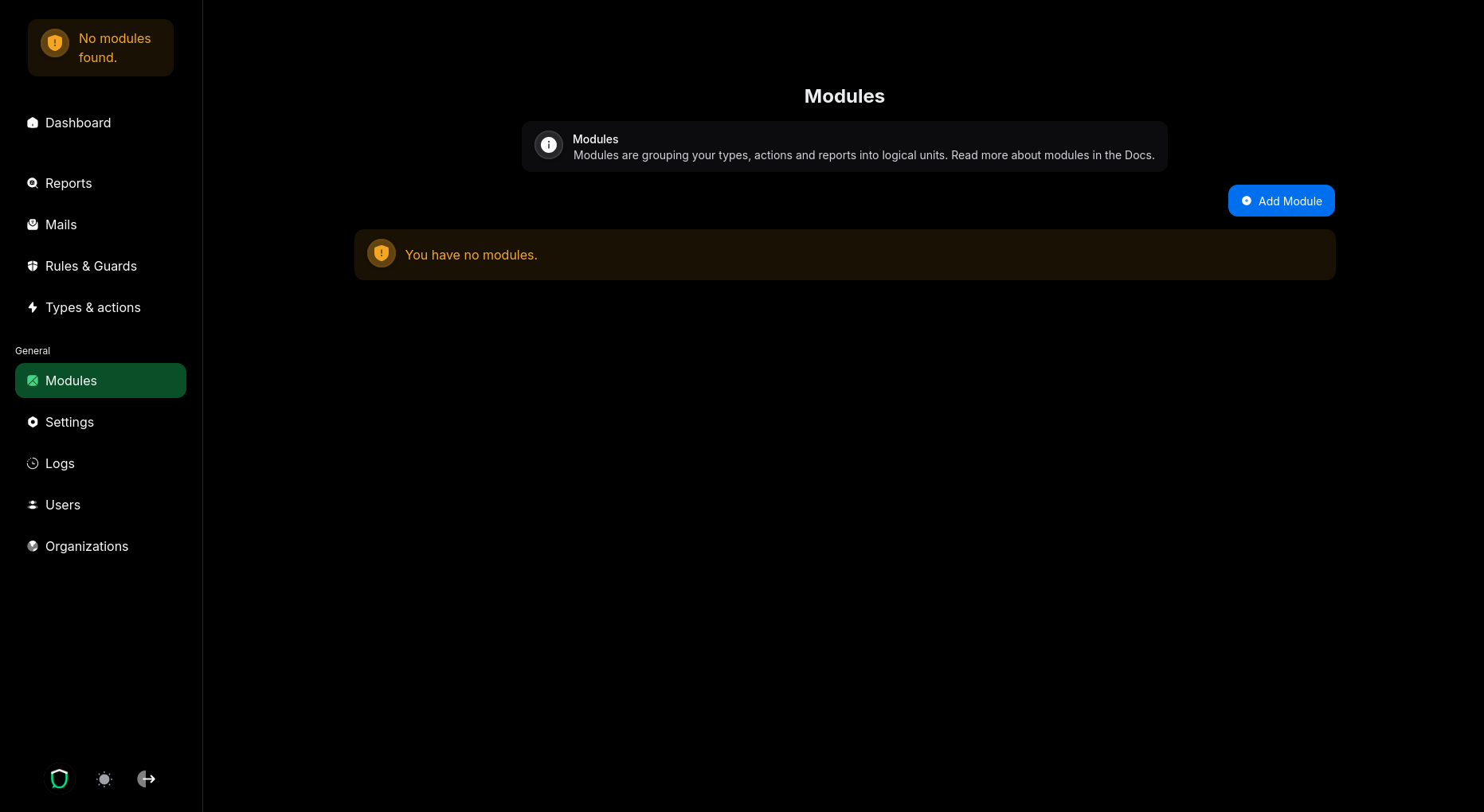
- Click to create a new module.
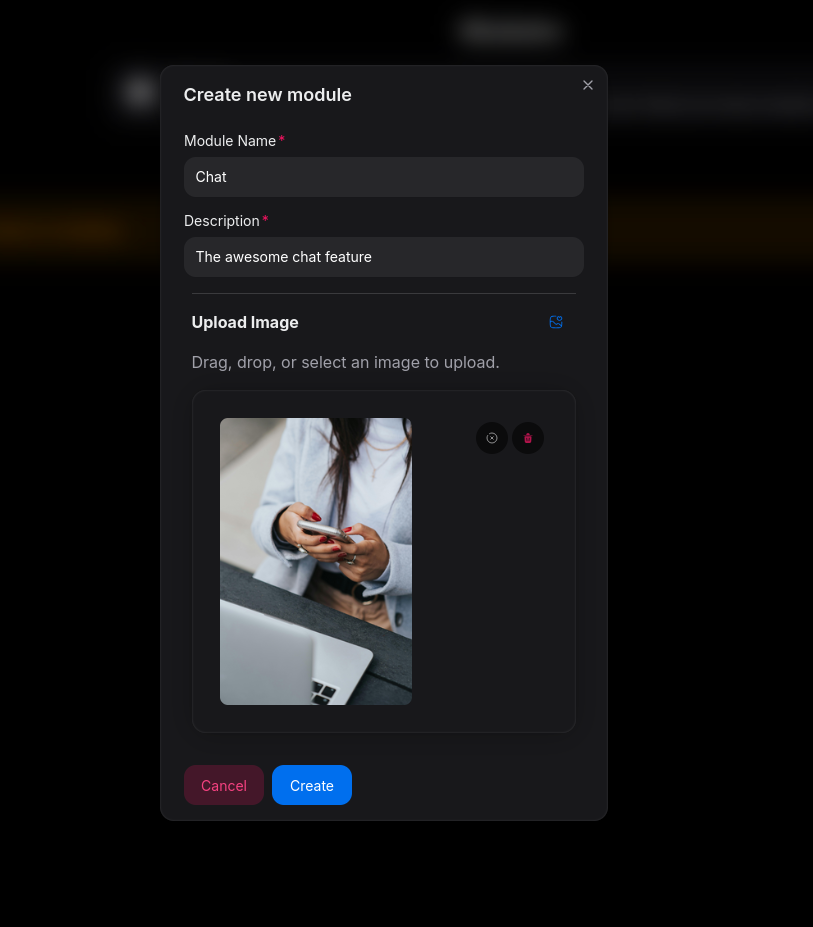
- Name the module "Chat", add a description, and optionally choose a logo.
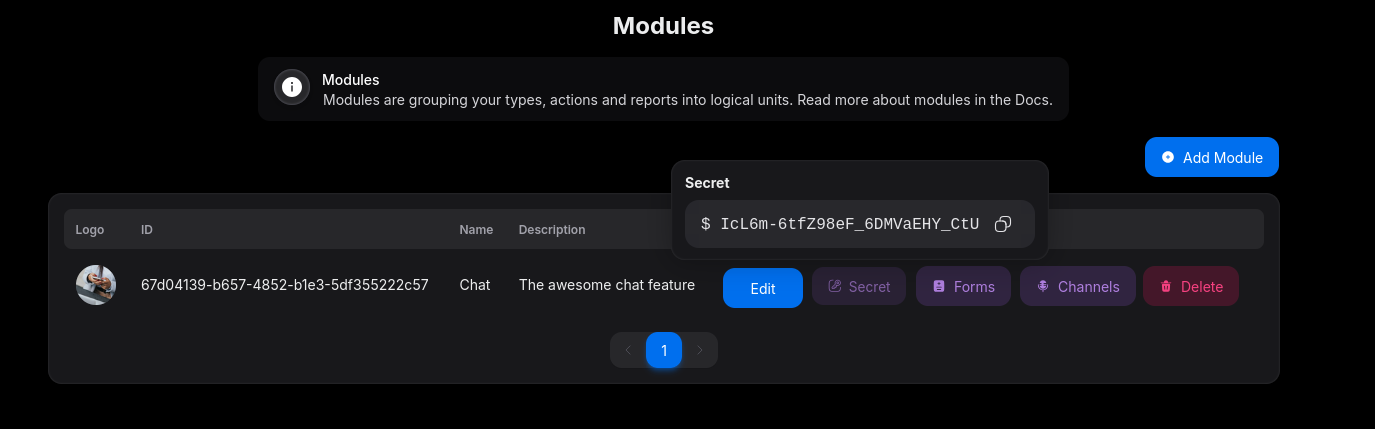
Once created, you'll see the module listed, along with its Module secret and Module ID. You'll need these later.
Defining Types
With your module selected (check the top left Module chooser), define the types of content that can be reported to UGC Guard.
- Navigate to
types and actions.
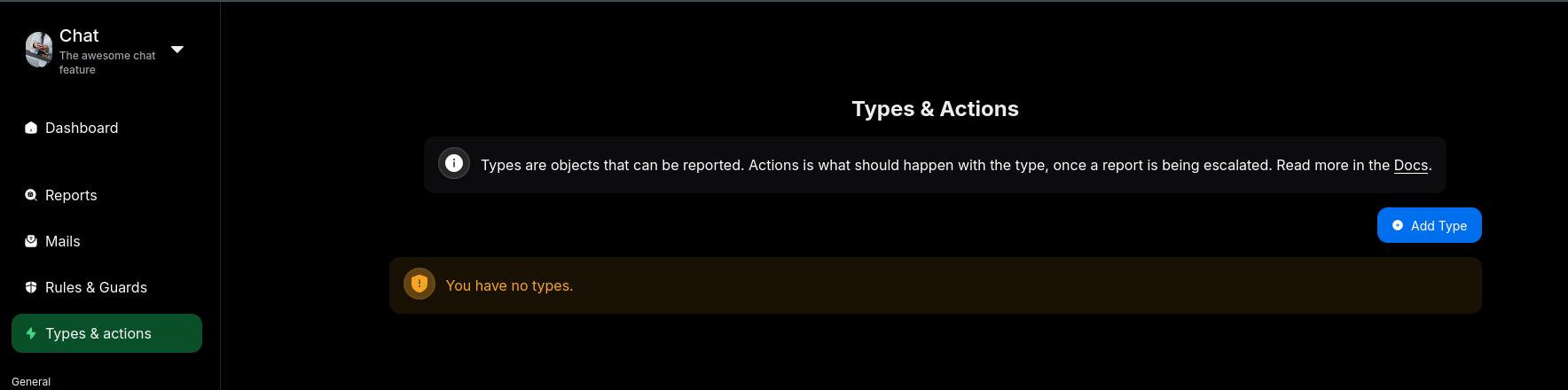
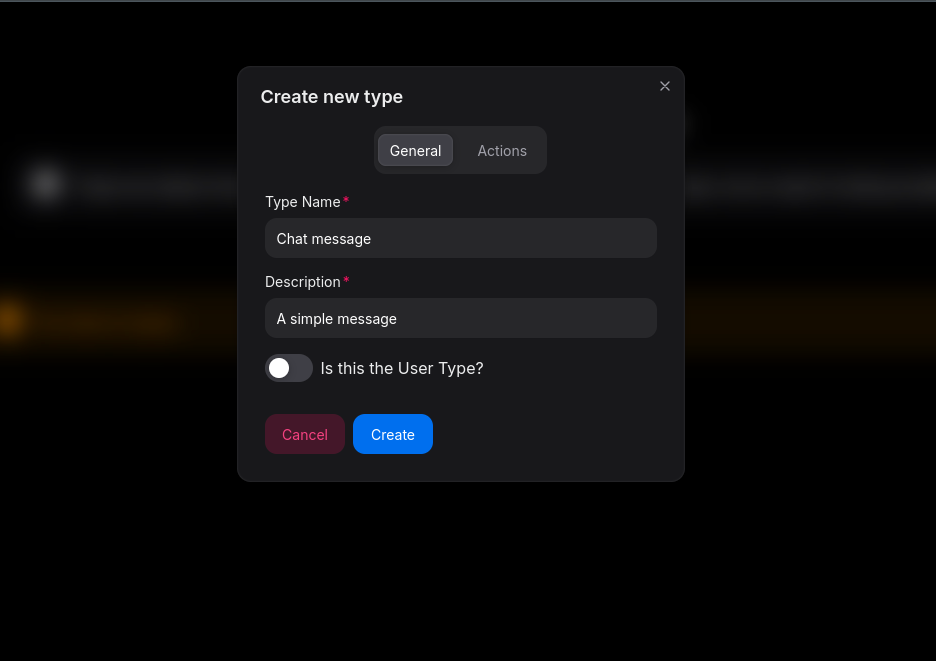
- Create a "Chat message" type.
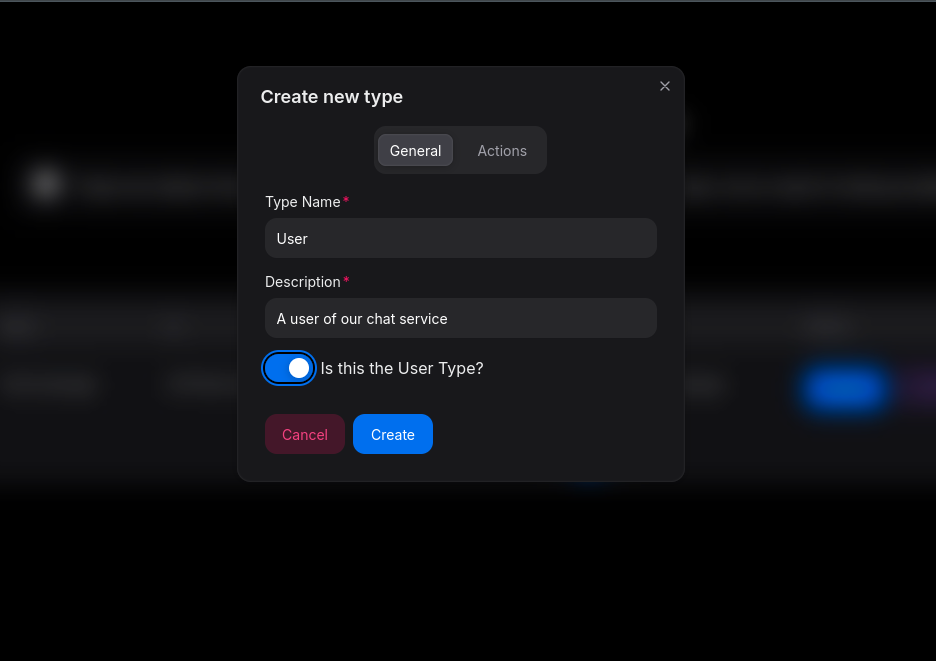
- Create a "User" type and enable the "is a user" option. This links reporters and content creators to the User type automatically.
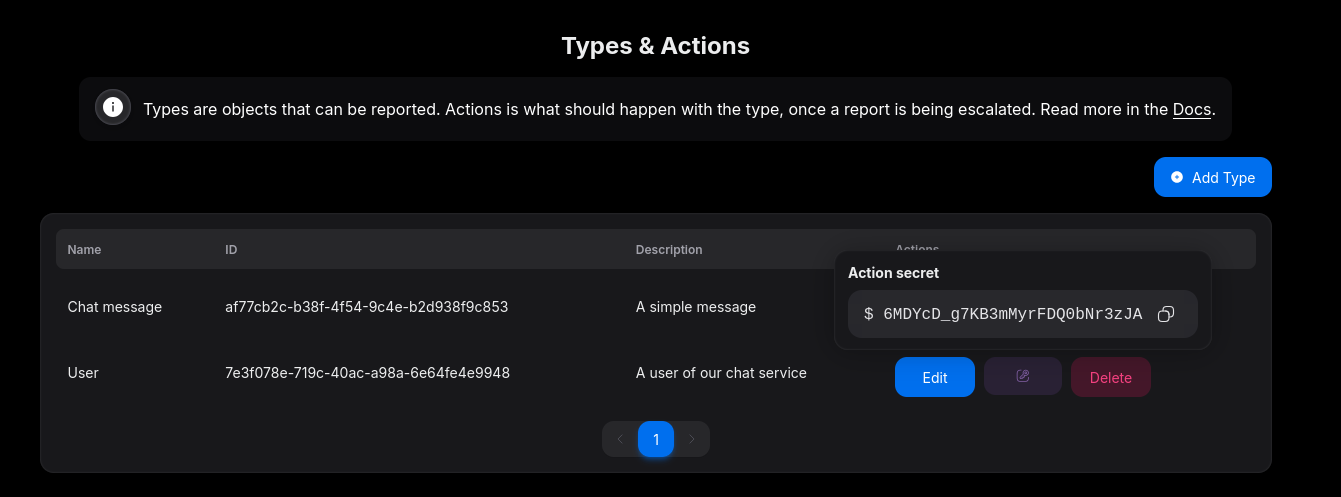
- The table displays both types, their
Type IDs, andType Secrets. Save these for later.
You can skip configuring Actions for now; we'll revisit them later.
TIP
Actions define what reviewers can do when handling a report.
Creating Report Forms
UGC Guard provides a built-in user interface for reporting content. Report Forms are unique web pages that collect report details from users. We'll create a form like this:
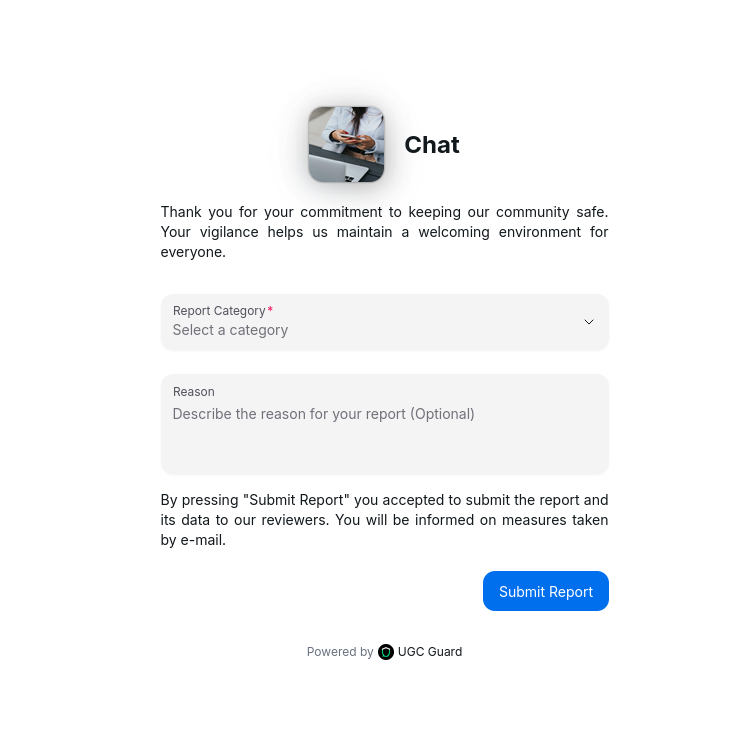
If you prefer your own UI, you can skip this section.
- In
Modules, selectFormsfor the Chat module. - Create a new report form.
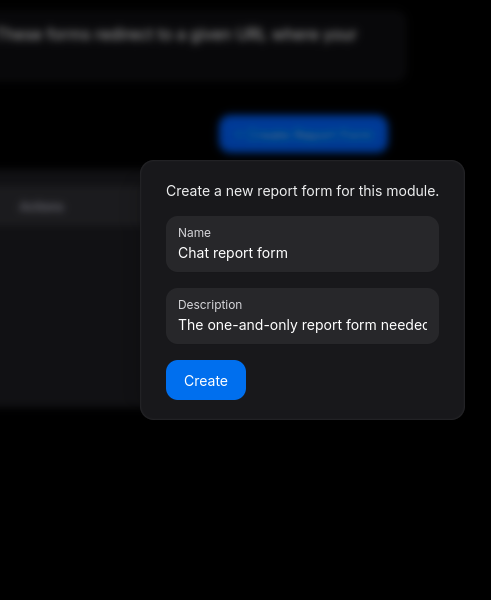
- Customize the form as needed and save. The preview updates automatically.
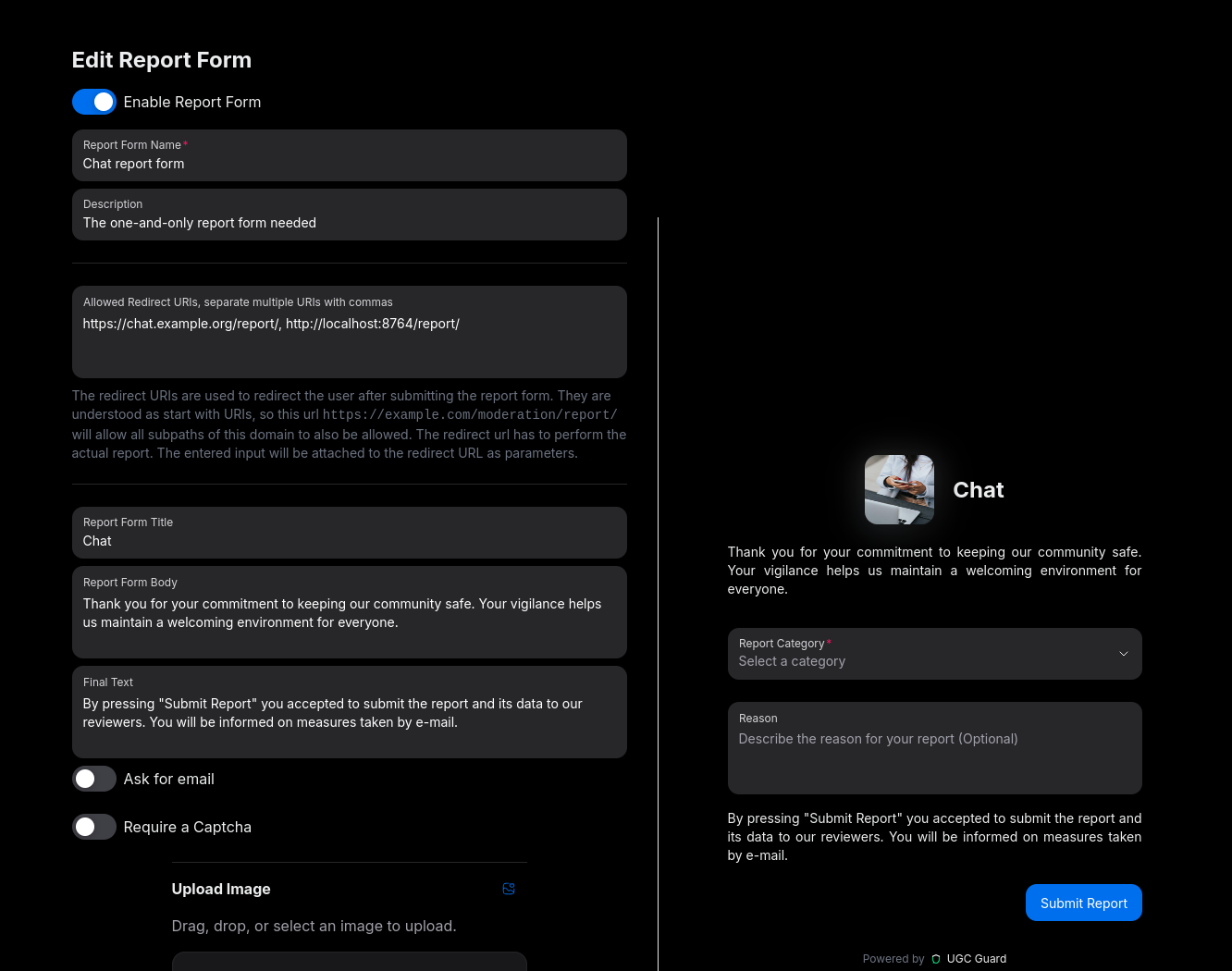
Since only logged-in users can report chats in this example, you don't need to request their email or use a captcha. For public-facing forms, consider enabling these options.
TIP
Report forms provide the UI for reporting, but don't submit reports directly. You'll need to specify a redirect URL where the actual report is processed. In our example, we use both a production and a local development URL, separated by a comma.
You'll use the form's unique URL, found in the report form table:
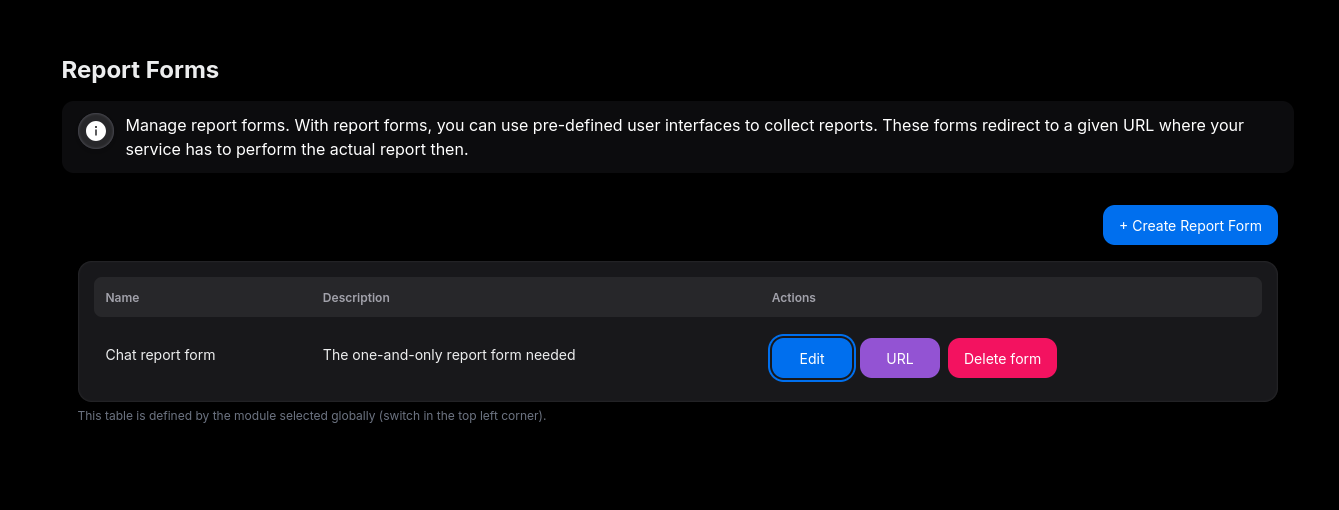
2. Integrating the Report Feature
With UGC Guard configured, you can now integrate its report feature into your service.
The Chat Service
Our chat service uses the following models (some fields omitted for brevity):
See the models
"""
Models.py
"""
from enum import Enum
from sqlmodel import SQLModel
from datetime import datetime


class MediaType(Enum, str):
    TEXT = "text"
    IMAGE = "image"
    VIDEO = "video"
    AUDIO = "audio"


class ChatMessage(SQLModel):
    """
    This is our chat message
    """
    id: str
    timestamp: datetime
    body: str
    media_url: str | None
    media_type: "MediaType"
    author: "User"
    extra_data: dict = {}
    tombstoned: bool = False

    # Omitted additional fields


class User(SQLModel):
    """
    User
    """
    id: str
    username: str
    fullname: str
    email: str
    profile_picture_url: str | None
    blocked: bool = False

    # Omitted addittional fields as pw_hash, etc.


class ChatRoom(SQLModel):
    """
    A chat room
    """
    id: str
    members: list[User] = []
    messages: list[ChatMessage] = []
    room_name: str
    room_avatar_url: str | None

    # Omitted additional fields
See the "fake database" layer
from models import User, ChatMessage, MediaType

users = [
    User(id=1, username="testuser", email="info@ugc-guard.com", fullname="Test User",
         profile_picture_url="https://ugc-guard.com/ugc-icon.png"),
    User(id=2, username="anotheruser", email="info2@ugc-guard.com", fullname="Another User",
         profile_picture_url=None),
    User(id=3, username="alice", email="example_alice@ugc-guard.com", fullname="Alice A"),
    User(id=4, username="bob", email="example_bob@ugc-guard.com", fullname="Bob B",
         profile_picture_url="https://images.pexels.com/photos/207580/pexels-photo-207580.jpeg"),
]

chat_messages = [
    ChatMessage(
        id="1",
        timestamp="2023-10-01T12:00:00Z",
        body="Hello, how are you?",
        media_url=None,
        media_type=MediaType.TEXT,
        author=users[3], extra_data={
            "likes": 5,
        }),
    ChatMessage(
        id="2",
        timestamp="2023-10-01T12:01:00Z",
        body="I'm good, thanks! Check out this photo.",
        media_url="https://images.pexels.com/photos/414612/pexels-photo-414612.jpeg",
        media_type=MediaType.IMAGE,
        author=users[2], extra_data={
            "likes": 3,
        }),
    ChatMessage(
        id="3",
        timestamp="2023-10-01T12:02:00Z",
        body="Wow, that's a beautiful view!",
        media_url=None,
        media_type=MediaType.TEXT,
        author=users[3], extra_data={
            "likes": 4,
        }),
    ChatMessage(
        id="4",
        timestamp="2023-10-01T12:03:00Z",
        body="Here's a video from my trip.",
        media_url="https://www.w3schools.com/html/mov_bbb.mp4",
        media_type=MediaType.VIDEO,
        author=users[2], extra_data={
            "likes": 2,
        }),
    ChatMessage(
        id="5",
        timestamp="2023-10-01T12:04:00Z",
        body="That's awesome! Thanks for sharing.",
        media_url=None,
        media_type=MediaType.TEXT,
        author=users[3], extra_data={
            "likes": 6,
        }),
]


def get_current_user() -> User:
    """"
    This retrieves the current user from the session or token
    :return: The current User object
    """
    # In a real application, this would retrieve the user from the session or token
    return users[0]


def get_message_for_id(message_id: str):
    """
    This retrieves a message by ID from the database
    :param message_id: The ID of the message
    :return: The ChatMessage object or None if not found
    """
    for message in chat_messages:
        if message.id == message_id:
            return message
    return None


def get_context_for_message(message, size=10):
    """
    This retrieves up to `size` messages before and after the given message

    This is abstracted for the example, in a real application you would query your database
    or data source to get the context messages.

    :param message: The main message
    :param size: Number of messages before and after to retrieve
    :return: List of ChatMessage objects representing the context
    """

    # Find message in the database
    messages = chat_messages
    if message not in messages:
        return []
    index = messages.index(message)
    start = max(0, index - size)
    end = min(len(messages), index + size + 1)
    # Exclude the main message itself
    messages = [m for i, m in enumerate(messages) if i != index]
    return messages[start:end]
Handeling a simple report
Now, for starters we want to enable a simple report. In this scenario we have all the necessary reporter information already. This is not using the Report Form for now. We will add the necessary Report Form logic in a second.
"""
This code example is using the UGC Guard client python package
"""


@app.get("/report/{message_id}")
def report_message_api(request: Request, message_id: str, current_user: Annotated[User, Depends(get_current_user)],
                       report_category: str,
                       report_reason: str | None = None):
    """
    This handles the report
    """

    # Get the message from the database
    # This is the main content of the report
    message: ChatMessage = get_message_for_id(message_id)

    if not message:
        return  # 404

    # this method retrieves up to 10 prior and further messages
    context = get_context_for_message(message, size=10)

    ugc_organization_id = "Your organization ID"
    ugc_guard_url = "https://api.ugc-guard.com"
    module_id = "The ID of the Chat Module"
    module_secret = "The Secret of the Chat Module"
    chat_message_type_id = "The Type ID of the chat message"

    try:
        # Initialize the Guard Client
        guardClient = GuardClient(
            organization_id=ugc_organization_id,
            base_url=ugc_guard_url,
        )

        # Send the report
        result = guardClient.report(
            module_id=module_id,
            module_secret=module_secret,
            type_id=chat_message_type_id,  # This is the overall type of the report
            main_content=_convert_chat_message(
                message
            ),  # We will define this method in a second
            reporter=_convert_user(current_user),  # We will define this method in a second
            description=f"Chat message report {message.id}",
            report_category=ReportCategory(report_category),  # The report category chosen by the user
            user_message=report_reason if report_reason else "",  # The message of the user
            context=[_convert_chat_message(context_message) for context_message in context]
            # We also need to convert the context messages
        )
        return result.id
    except Exception as e:
        print(f"Error reporting content: {e}")
        return  # 500

    return  # 500
"""
This example is directly using the UGC Guard API
"""

# Coming soon

pass
Now as you can see, we are missing the conversion of our content to UGC Guard content. This is actually very easy. The following methods can also be reused for the Guard feature. But more on that later.
def _convert_chat_message(message: ChatMessage) -> ContentWrapper:
    """
    Converts a chat message and its author to the type, UGC Guards understands
    """

    # If a message contains media, we want to translate that to UGC Guard
    # We are using the Proxied Media Feature of UGC Guard, but you can also upload the
    # Media file to UGC Guard here, using (Multi)MediaBody.fromFile(s) instead of ProxiedMultiMediaBody here

    body = None
    content_type: ContentType | None = None
    if message.type == MediaType.TEXT:
        content_type = ContentType.TEXT  # the UGC Guard content type
        body = TextBody(text=message.body)
    elif message.type == MediaType.VIDEO:
        content_type = ContentType.VIDEO
    elif message.type == MediaType.AUDIO:
        content_type = ContentType.AUDIO
    elif message.type == MediaType.IMAGE:
        content_type = ContentType.IMAGE

    if not body and content_type:
        body = ProxiedMultiMultiMediaBody(
            urls=[message.media_url],  # UGC Guard support Multiple Media Files per Content, that's why this is a list.
            body=message.body,
            content_type=content_type
        )

    content_creator = _convert_user(message.author)

    return ContentWrapper(
        content=ReportContent(
            unique_partner_id=str(message.id),  # This is important and has to be unique
            body=body,
            additional_data=message.model_dump(),
            created_at=message.timestamp,  # This is important
        ),
        creator=content_creator
    )


def _convert_user(user: User) -> ReportPerson:
    """
    Converts a User to a ReportPerson (which is either a content creator or a reporter)
    """
    return ReportPerson(
        unique_partner_id=str(user.id),
        name=user.fullname,
        email=user.email,
        media_identifiers=[user.profile_picture_url] if user.profile_picture_url else None
        # UGC Guard allows multiple profile pictures per user, thats why this is a list
        # phone, and other fields also available
    )
That's all. The report endpoint now sends reports to UGC Guard.
See how easy this was? But there are some cool features still missing in this implementation.
Let's start by integrating the report forms.
Using Report Forms
Now that your report form is set up and its URL is available, integrating it into your reporting workflow is straightforward.
When a user initiates a report without specifying a report_category, your endpoint will redirect them to the UGC Guard report form. Once the user completes the form and UGC Guard redirects back to your endpoint—with the report_category included—you can process the report and then redirect the user to the report form’s success page.
Below, we highlight the key changes made to the report method to support this flow.
@app.get("/report/{message_id}")
def report_message_with_report_form_api(request: Request, message_id: str,
                                        current_user: Annotated[User, Depends(get_current_user)],
                                        report_category: str,
                                        report_reason: str | None = None):
    """
    This handles the report
    """
    report_form_url = "REPORT_FORM_URL"  # Replace with your actual report form URL
    report_form_success_url = f"{report_form_url}/success"
    report_form_error_url = f"{report_form_url}/error"
    if not report_category:
        # Redirect to the report form
        local_url = "http://localhost:8000"  # Replace with your actual local URL
        return RedirectResponse(f"{report_form_url}?redirect_url={local_url}/report/{message_id}")

    # Get the message from the database
    # This is the main content of the report
    message: ChatMessage = get_message_for_id(message_id)

    if not message:
        return RedirectResponse(report_form_error_url)

    # this method retrieves up to 10 prior and further messages
    context = get_context_for_message(message, size=10)

    ugc_organization_id = "Your organization ID"
    ugc_guard_url = "https://api.ugc-guard.com"
    module_id = "The ID of the Chat Module"
    module_secret = "The Secret of the Chat Module"
    chat_message_type_id = "The Type ID of the chat message"

    try:
        # Initialize the Guard Client
        guardClient = GuardClient(
            organization_id=ugc_organization_id,
            base_url=ugc_guard_url,
        )

        # Send the report
        guardClient.report(
            module_id=module_id,
            module_secret=module_secret,
            type_id=chat_message_type_id,  # This is the overall type of the report
            main_content=_convert_chat_message(
                message
            ),  # We will define this method in a second
            reporter=_convert_user(current_user),  # We will define this method in a second
            description=f"Chat message report {message.id}",
            report_category=ReportCategory(report_category),  # The report category chosen by the user
            user_message=report_reason if report_reason else "",  # The message of the user
            context=[_convert_chat_message(context_message) for context_message in context]
            # We also need to convert the context messages
        )
        return RedirectResponse(report_form_success_url)
    except Exception as e:
        print(f"Error reporting content: {e}")
        return RedirectResponse(report_form_error_url)

    return RedirectResponse(report_form_error_url)
See how straightforward this integration is?
TIP
In some authentication scenarios, the current_user may be lost during redirects. To address this, store the initial report request—including user information—in a temporary store such as Redis when the report endpoint is first accessed. Assign a unique ID to this data and set an expiration timeout. Redirect users to the UGC Guard Report Form, passing the unique ID as a parameter. When UGC Guard returns to your report endpoint, retrieve the stored request using the unique ID and continue with the report workflow.
Using Actions
With reporting in place, let's empower reviewers to efficiently respond to content that violates your community guidelines. This is accomplished by setting up actions.
Setting up Actions
Return to UGC Guard to configure the actions you want to support. As referenced in models.py, our actions are designed to quarantine or tombstone content rather than delete it outright. This ensures that content remains on the server and can be restored if a user appeals the action.
TIP
Avoid configuring actions that immediately destroy content. Instead, restrict access to content. This approach is important for compliance and legal requirements. If you do implement destructive actions, be sure to set the corresponding flag in UGC Guard.
- In UGC Guard, navigate to
Types and Actionsand selectEditforChat Message. - Switch to the Actions tab.
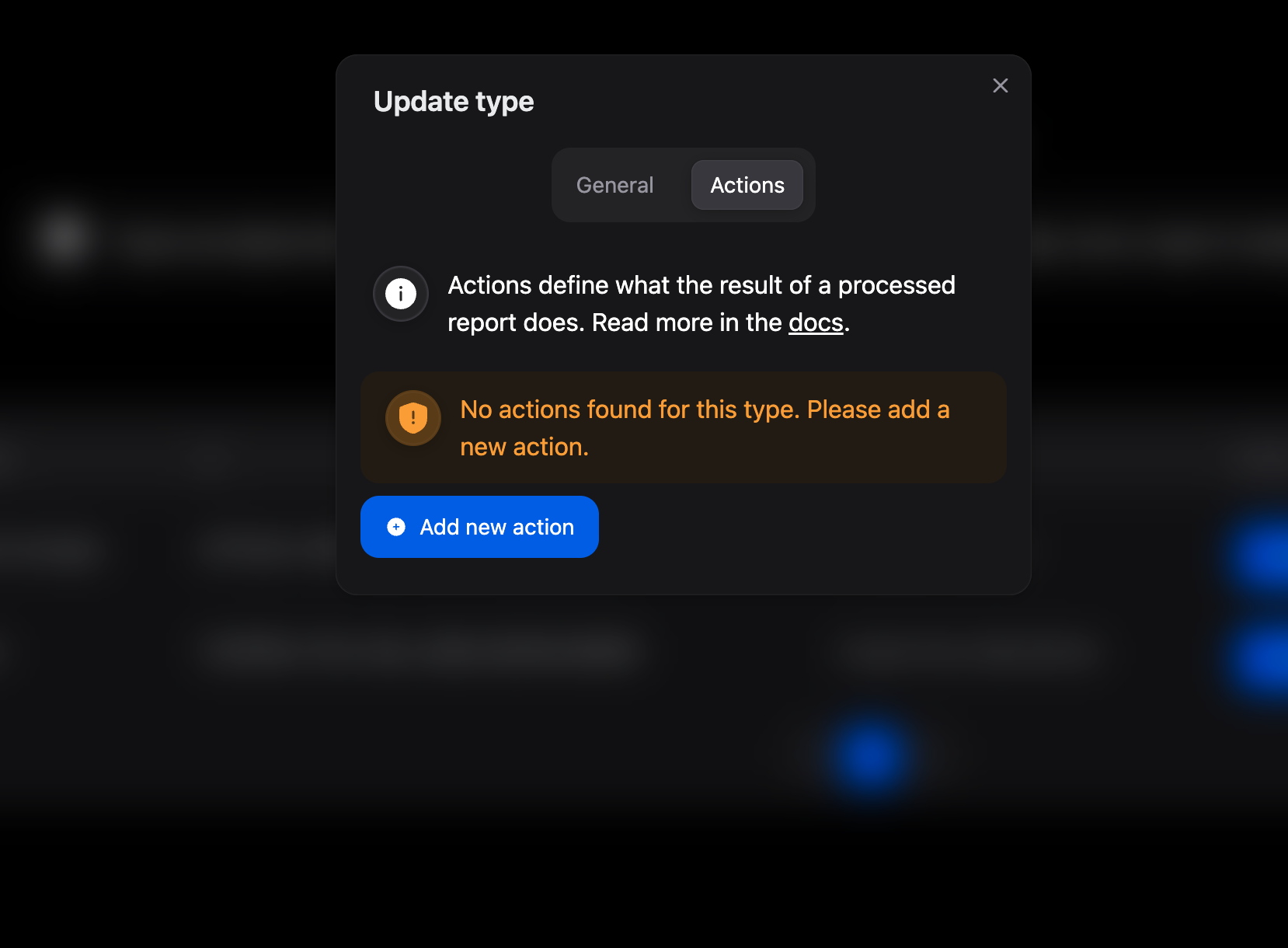
- Click
New Action, entertombstoneas the name, add a description, and provide the Webhook URL for the action. Note: Only production URLs are supported; local development environments cannot be accessed by UGC Guard webhooks unless proxied.
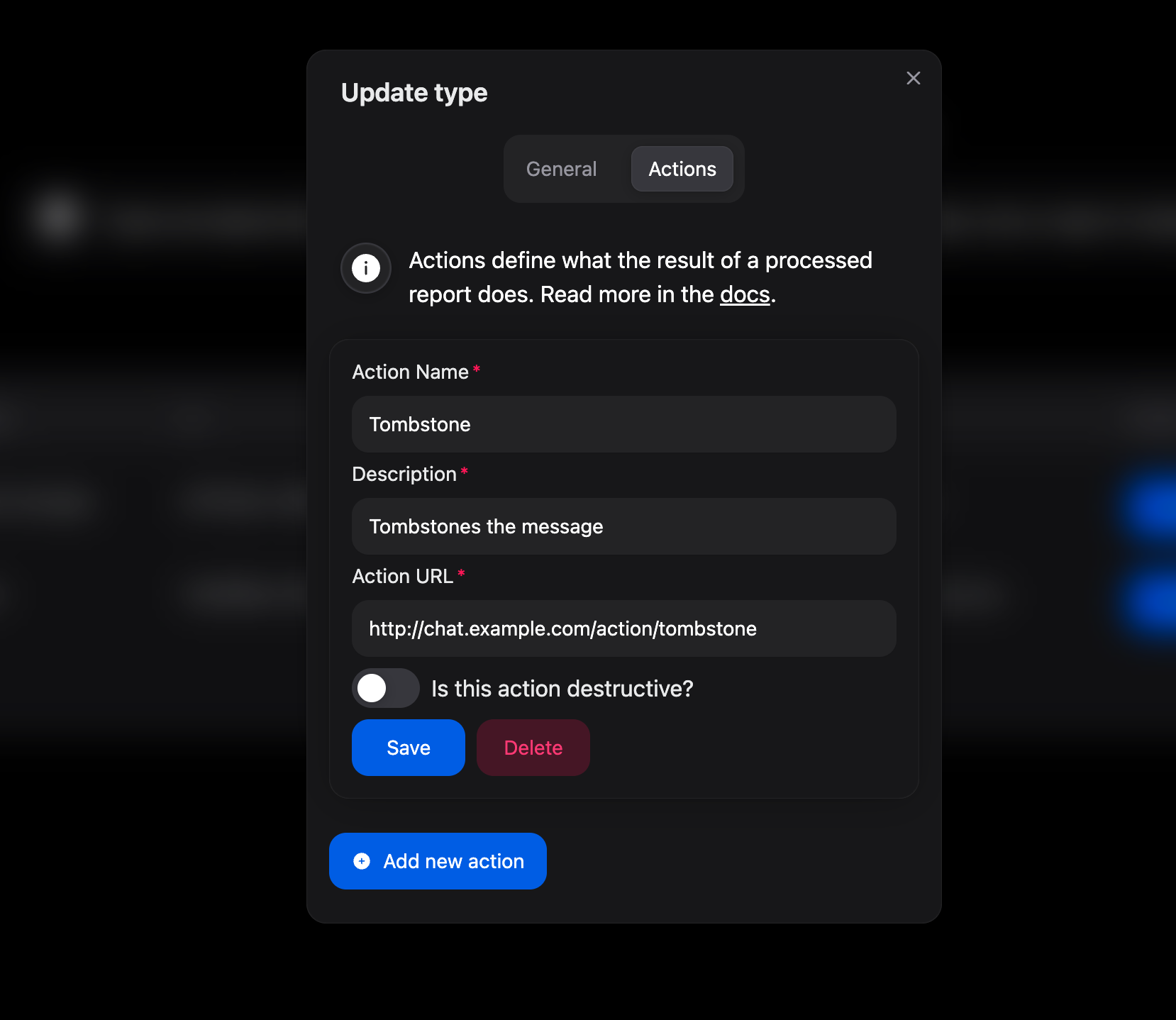
- Save your changes.
- Select
EditforUser. - Add a
Blockaction.
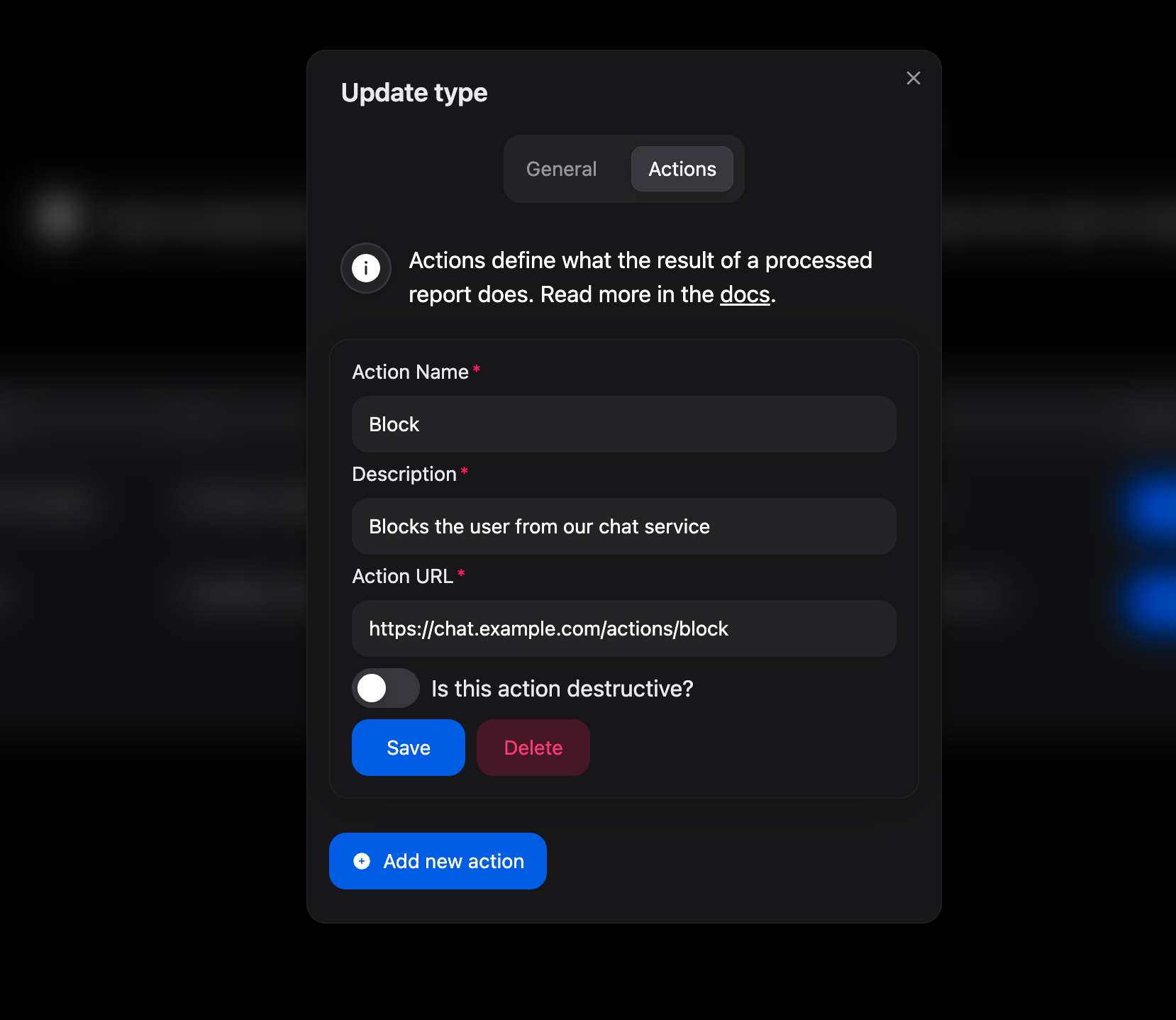
- Save your changes.
- Copy the Action Secret for both the
Chat MessageandUseractions.
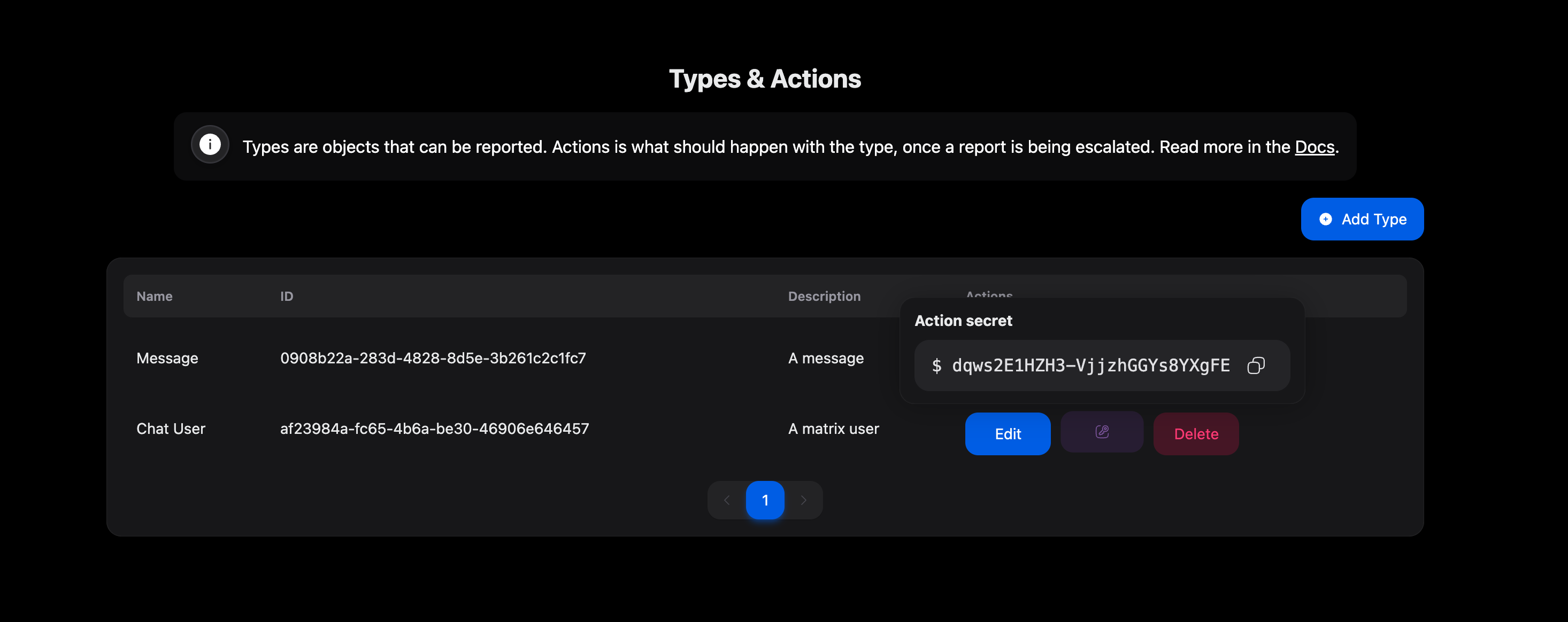
With actions configured in UGC Guard, you can now implement the corresponding endpoints in your FastAPI server.
Integrating Actions
Next, you'll add two endpoints to your FastAPI server. These should match the URLs you specified for your actions in UGC Guard.
"""

These are two action endpoints.

"""

@app.post("/action/tombstone")
def tombstone_content(request: Request,
                      body: dict = Body(..., description="The webhook body containing the action data."),
                      x_action_signature: Annotated[str | None, Header()] = None,
                      ):
    """
    This endpoint is used to tombstone a message.
    :param x_action_signature: the signature of the webhook, used to verify the authenticity of the request (part of the header).
    :param body: The webhook body containing the action data.
    :param request: The request, containing the header of the webhook.
    :return:
    """

    # Check the header of the request to verify the secret.

    secret = "CHAT_MESSAGE_TYPE_ACTION_SECRET"  # this should be set in your environment variables

    # Check if the X-Action-Signature header is present
    if not x_action_signature:
        raise ValueError("X-Action-Signature header is missing.")

    # Verify the signature using the GuardClient's verify_signature method
    valid_signature = GuardClient.verify_signature(body, secret, x_action_signature)

    if not valid_signature:
        raise ValueError("Invalid signature in the X-Action-Signature header.")

    message_id = body.get("content_upi")  # The ID of the content to be tombstoned

    message = get_message_for_id(message_id)  # Load the message from the database
    message.tombstoned = True  # Update its tombstoned status

    return "200"  # Return 200 OK so that UGC Guard knows we processed the action


@app.post("/action/block")
def block_user(request: Request,
               body: dict = Body(..., description="The webhook body containing the action data."),
               x_action_signature: Annotated[str | None, Header()] = None,
               ):
    """
    This endpoint is used to block a user.
    :param x_action_signature: the signature of the webhook, used to verify the authenticity of the request (part of the header).
    :param body: The webhook body containing the action data.
    :param request: The request, containing the header of the webhook.
    :return:
    """

    # Check the header of the request to verify the secret.

    secret = "USER_TYPE_ACTION_SECRET"  # this should be set in your environment variables

    # Check if the X-Action-Signature header is present
    if not x_action_signature:
        raise ValueError("X-Action-Signature header is missing.")

    # Verify the signature using the GuardClient's verify_signature method
    valid_signature = GuardClient.verify_signature(body, secret, x_action_signature)

    if not valid_signature:
        raise ValueError("Invalid signature in the X-Action-Signature header.")

    # This is on_user_api if the action is performed on the user of a content
    # If you allow users to be reported and the user is the content then it will be content_upi.

    user_id = body.get("on_user_upi")  # The ID of the user to be blocked

    user = get_user_by_id(user_id)  # Load the user from the database
    user.blocked = True  # Update its blocked status

return "200" # Return 200 OK so that UGC Guard knows we processed the action"""
If you do not want to use the UGC Guard python package, this is the corresponding method to verify the signature.
"""
import hashlib
import hmac
import json
def verify_signature(payload_body: dict, secret_token: str, signature_header: str) -> bool:
"""Verify that the payload was sent from UGC Guard by validating SHA256.
Args:
payload_body: original request body to verify (request.body())
secret_token: UGC Guard webhook token (WEBHOOK_SECRET)
signature_header: header received from UGC Guard (x-action-signature)
returns:
bool: True if the signature is valid else False.
"""
if not signature_header:
return False
hash_object = hmac.new(secret_token.encode('utf-8'),
msg=json.dumps(payload_body, sort_keys=True).encode("utf-8"), digestmod=hashlib.sha256)
expected_signature = "sha256=" + hash_object.hexdigest()
if not hmac.compare_digest(expected_signature, signature_header):
return False
return TrueTIP
If you have multiple actions for a type, you can consolidate them into a single endpoint. The UGC Guard webhook payload includes both the action's ID and name, allowing you to distinguish which action was triggered. Additionally, the payload provides the Type ID for the affected content, so you can even use one endpoint to handle all actions across types if desired.
DANGER
Always verify the webhook signature! Failing to do so could allow malicious actors to exploit your action endpoints and manipulate content on your service.
3. Additional Features
Authenticated Proxied Media
In this example, chat media files are publicly accessible. However, if you need to restrict media access, UGC Guard supports signed proxied media requests. This lets you verify that requests for media originate from UGC Guard.
The following example demonstrates an endpoint designed exclusively for UGC Guard to retrieve media files. To use this approach, update your media_urls to reference this endpoint, or modify your existing media endpoint to support both your authentication and UGC Guard's webhook signature verification.
INFO
For proxied media requests, the webhook secret is the action secret for the relevant type of the content. In this case, the 'chat message type'.
@router.get("/media/{media_id}")
async def get_media_api(
    media_id: str,
    request: Request,
    x_action_signature: Annotated[str | None, Header()] = None,
):
    """
    Returns the media with the given media_id.
    """
    payload = request.headers.get('X-Payload', None)

    if not payload:
        raise HTTPException(
            status_code=400,
            detail="X-Payload header is required",
            headers={"X-Action-Error": "X-Payload header is required"},
        )

    payload = json.loads(payload)

    if not _verify_signature(x_action_signature, payload):
        raise invalid_signature_response

    # Optionally, check if the timestamp in the payload is close to datetime.now()

    media_bytes, content_type, content_disposition = get_media(media_id)

    if media_bytes is None:
        raise HTTPException(status_code=404, detail="Media not found")

    return StreamingResponse(
        iter([media_bytes]),
        media_type=content_type,
        headers={
            "content-disposition": content_disposition
            if content_disposition
            else f'attachment; filename="{media_id}"'
        },
    )

def _verify_signature(signature: str, payload: dict) -> bool:
    """
    Verifies the signature of the payload using the provided secret.
    """
    secret = os.getenv("webhook_secret")
    if not secret:
        print("No secret configured for UGC Guard webhook.")
        return False

    if not signature:
        print("No signature provided for UGC Guard webhook.")
        return False

    # Verify the signature using the GuardClient's verify_signature method
    valid_signature = GuardClient.verify_signature(payload, secret, signature)

    return valid_signature
Uploading Files instead of Proxying them
We will update this part of the example soon. For now: Change ProxiedMultiMediaBody to MediaBody or MultiMediaBody. Create their instance with .fromFile or .fromFiles. The guard client will upload the files during the report submission.
TIP
Redirect the user to the success page and then upload the files. Depending on the file size, this could take a few seconds.
Reporting Chat Rooms
We will update this part of the example soon.
For summary: The code is equal to what you have seen before, except that the type of the context of the report is not of chat room but of type chat message. This is relevant, because reviewers not only need the room name and avatar but also some messages of the room to identify if the room violates community guidelines.
When converting your chat message to the context, append the type_id to the content object of UGC Guard. This way, UGC Guard knows that even though the report is of type Chat room, this context content is actually a chat message. Reviewers can then take the correct actions on the chat message.
4. Guards and Chat filter
For now, head to Rules & Guards and follow the setup there.